
Thousands of iPhone photos. No idea where to start?
Your camera roll is full of memories you love, but they're scattered across thousands of photos, and figuring out what to do with them feels overwhelming.
I'll show you how to back them up, get them organized, and finally turn your favorites into printed memories your family can enjoy.
One simple step at a time.
Limited-time launch price · Regular price $47 · One-time payment · 7-day money-back guarantee
Beyond the Camera Roll 2.0 is a self-paced video course where I walk you through the process right on your iPhone. You follow along, work at your own pace, and finally have a plan for tackling those photos.

28 video lessons · 52-page guide · Printable checklists · Private Facebook community
Imagine going from this... to this.
Your camera roll today
- –Thousands of photos and no real organization.
- –Wondering if your memories are actually backed up.
- –Constantly running out of storage.
- –Favorite memories buried on your phone instead of in photo books.
What you're working toward
- ✓A simple organization system you understand and can maintain.
- ✓Knowing how to back up and protect your photos.
- ✓Understanding how to manage your storage and find photos more easily.
- ✓Beautiful printed memories your family can hold, flip through, and enjoy.
You don't have to figure it all out on your own. I'll show you exactly what to do, step by step.
You don't need to be tech-savvy. You just need somewhere to start.
Watch
Follow along with short, easy-to-understand video lessons. I'll show you exactly where to tap and what to do.
Do
Grab your iPhone and work through each step. Pause, rewind, and take your time. You don't have to finish everything in one sitting.
Enjoy
Build a system you can maintain, learn how to protect your memories, and start getting those favorite photos off your phone and into print.
This isn't an app that automatically organizes your photos. It's a step-by-step program that teaches you how to do it yourself, with guidance and support along the way.
Your photos didn't pile up overnight, and you don't have to organize them overnight either.
Work through the lessons at your own pace, whether that's a few minutes here and there or a longer session when you have time.
Some people will have more photos to work through than others, and that's okay. The important thing is finally having a plan and knowing where to start.
I struggle with brain fog and learning new things — but I've been able to follow along at my own pace.
Facebook community member, shared with permissionWomen just like you have already done this.
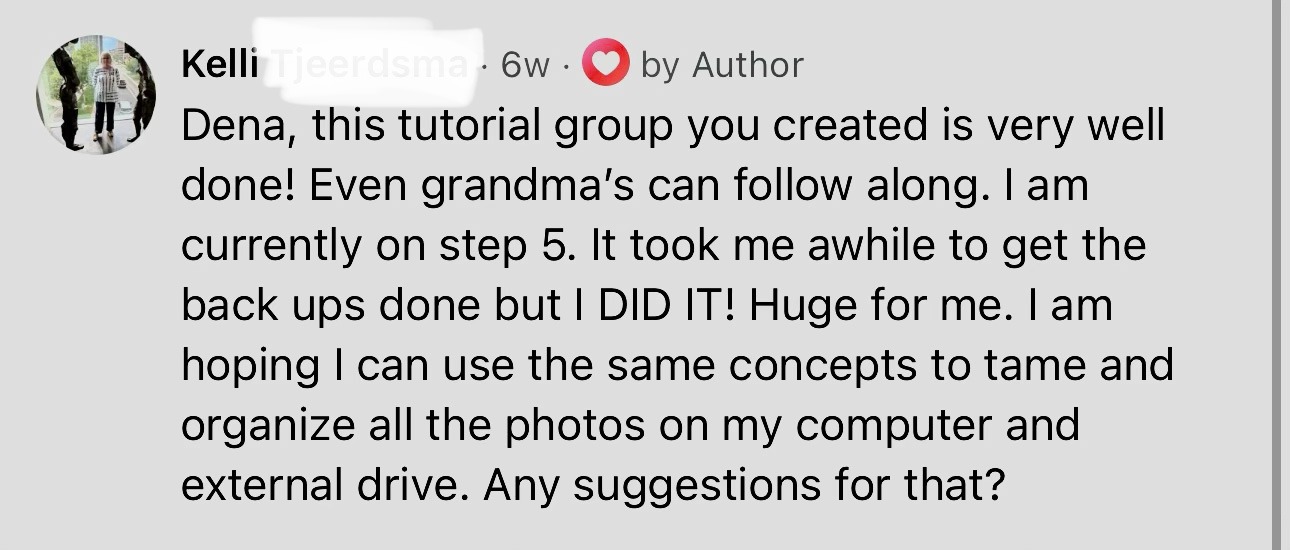
Kelli, Facebook Community Member
She said even grandmas could follow along, and after finishing the backup step she asked how to tackle the photos on her computer next. I answered her right there in the group, because that's exactly what it's for.
Everything you need to finally get started.
I've broken the process down into manageable steps so you don't have to figure everything out on your own.
You'll learn how to understand your storage, protect your photos, get organized, and finally start printing those memories you've been meaning to do something with.
28 short video lessons in six phases · Most run 5–10 minutesSafe: make sure nothing gets lost
Know your photos are truly backed up, with a method that fits you, computer or not.
Declutter: clear the obvious junk
Clear out screenshots, duplicates and blurry shots so the rest feels manageable.
Organize: albums that actually help
Simple albums by year, so you can find the photos you're looking for.
Archive: a second home for your keepers
A second, organized copy of your favorites on an external hard drive.
Print: the whole point
Turn your favorites into prints and a yearly photo book your family can hold.
Keep going: one habit that sticks
One easy monthly habit that keeps your camera roll from piling up again.
What comes with your purchase
The videos are the core. Everything else is there to make it easier along the way.
When I have questions, I post in the group and Dena is very responsive. I don't feel like I'm bothering anyone.
Facebook community member, shared with permissionOne-time payment · 7-day money-back guarantee · Built for iPhone
Want to see how simple the lessons are?
Here's a little peek inside Beyond the Camera Roll. I'll show you the steps right on the screen, just like I do throughout the course.

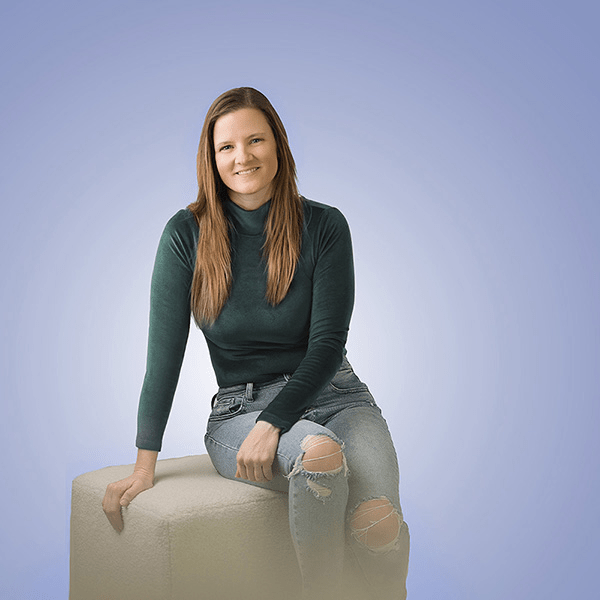
I'm a professional photographer who had 25,000 photos on my iPhone with none of them printed.
For 19 years I've helped families preserve their memories. It's literally my job, and my own iPhone was still a mess: thousands of photos, nothing backed up, nothing printed. When I finally built a system that worked for my own life, I turned it into this course.
I'm a mom to four kids in a small town in South Dakota, so I know preserving family memories is about more than taking beautiful pictures. One of my biggest reasons for creating Beyond the Camera Roll is that I want families to have physical photographs and albums they can enjoy for generations, not everyday memories sitting forgotten on phones, hard drives, or in the cloud.
Every video is short enough for a 10-minute window while the kids are occupied. And I'm in the Facebook community personally. If your screen looks different from mine, drop a screenshot and I'll help you find the right spot.
Real people. Real results.
Shared from the private Beyond the Camera Roll Facebook community, with permission.
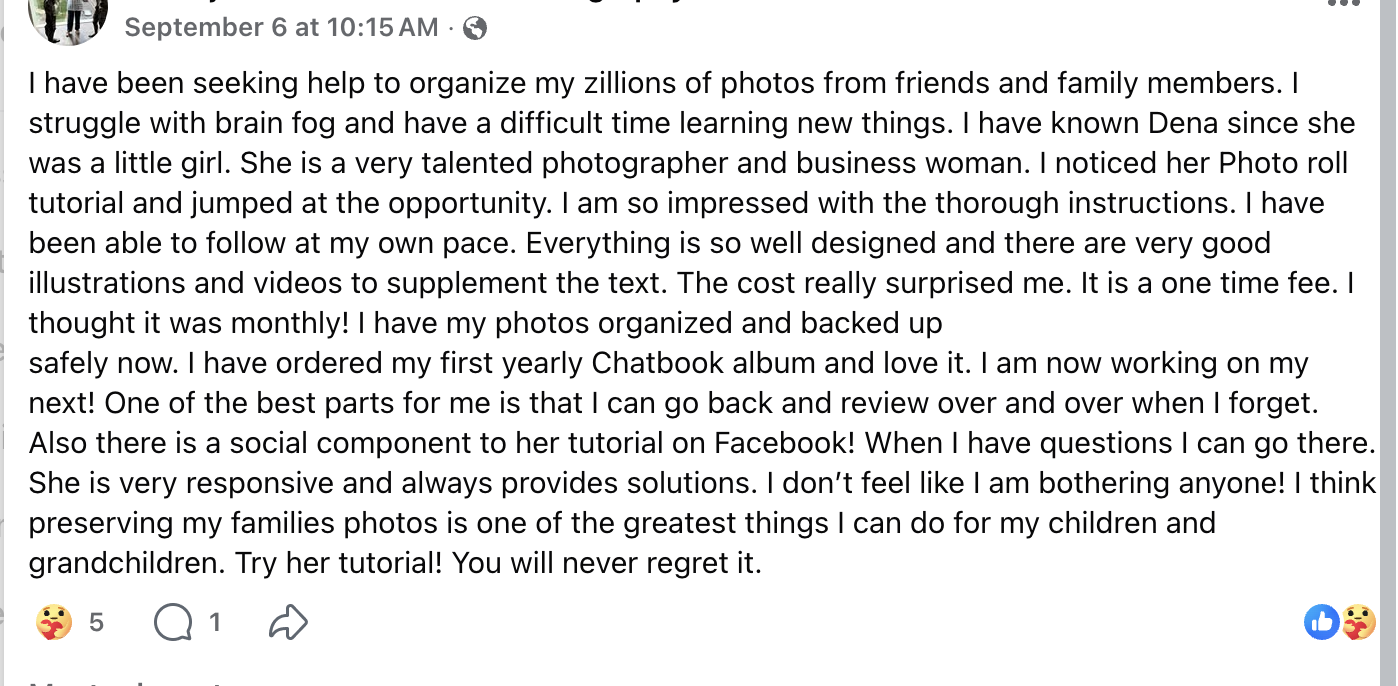
Facebook Community Member

Facebook Community Member
One-time payment · 7-day money-back guarantee · Built for iPhone
This is a good fit if...
This probably isn't for you if...
Start today, at your own pace.
Beyond the Camera Roll 2.0
The Complete System
One-time payment, not a subscription
Limited-time 2.0 launch price. Regular price $47
- 28 step-by-step screen-recording videos
- Six learning phases, from backup to print
- 52-page guide with every lesson linked to its video
- Printable checklists + quick-reference cheat sheets
- Resource Vault: drives, adapters, printing and tools (always updated)
- Private Facebook community. I answer questions personally, no bots
7-Day Money-Back Guarantee. If you go through the material and it's not what you expected, email me within 7 days for a full refund, no questions asked. I'm confident you'll find this useful, but I don't want anyone to feel stuck with something that isn't working for them.
The cost really surprised me — I thought it was monthly, but it's a one-time fee.
Facebook community member, shared with permissionFrequently asked questions
How do I get access after I purchase?
As soon as you check out, your course unlocks inside your Freebird account. Log in and you'll find the videos, the guide and the printables waiting for you. No app to download, nothing to install.
I bought the original Beyond the Camera Roll. Do I need to buy 2.0?
No. 2.0 is free for past buyers. Log in to your account and it's already there.
Does this organize my photos for me?
No, and that's a good thing. This isn't an app. It's a self-paced video course where I show you each step on my iPhone and you follow along on yours, so you end up with a system you understand and can keep up with.
Are these real screen recordings, and do I need to be tech-savvy?
Yes, every video is a real screen recording on my actual iPhone and computer, so you see every tap. And no, you don't need to be tech-savvy. It's designed for people who don't know where to start, with a Facebook community for when you get stuck.
I have thousands of photos and barely any time. Will this still work?
That's exactly who this is for. I focus on one year at a time so it's manageable, and you have lifetime access, so 10-minute chunks whenever you have time is enough. No deadline, nothing expires.
I have an Android. Will this work for me?
Honestly, probably not. Every phone step is recorded on a real iPhone and follows the actual Photos app and iCloud settings. The computer steps work on Mac and PC, but if you have an Android phone, I'd recommend not purchasing. I'd rather be upfront now than have you disappointed later.
Do I need a computer?
No. There's a no-computer path for both backing up (Amazon Photos) and archiving (an external drive plugged straight into your iPhone). If you do have a Mac or PC, there are videos for both.
Will this actually help me get photos printed?
That's the whole point. Phase 5 shows you exactly how to upload your favorites and place an order.
What's your refund policy?
7 days, no questions asked. If it's not what you expected, email hello@freebirdbydena.com within 7 days for a full refund.
Your photos are worth more than a folder nobody opens.
You have thousands of memories worth keeping. You don't have to figure out how to organize, protect, and print them all by yourself. I'll show you how, one step at a time.
Get instant access for $27One-time payment · 7-day money-back guarantee · Built for iPhone